The Matrimonial Form Filling Auto Typing Software, also known as Universal Automatic Form Filling Software, automates various types of matrimonial form filling, including DRIS, DWS, MFF, and popular online platforms like Shaadi.com and Future Sparks. It uses Excel data to fill forms quickly and accurately, eliminating manual typing. Designed for data entry companies and agencies, this software helps complete hundreds of matrimonial forms in minutes with 100% accuracy and professional quality.
The setup is simple, fast, and secure, making it easy to manage both encrypted and online matrimonial data. With this tool, bulk matrimonial data entry becomes smooth, efficient, and error-free.
VOTER ID FORM FILLING AUTO TYPER SOFTWARE
The Voter ID Form Filling Auto Typing Software is specially designed to automate the filling of Voter ID and government data entry forms. It works by automatically typing data from Excel files into both online and offline forms, speeding up the process and reducing manual effort. Ideal for offices, BPOs, and data entry workers, this software handles bulk Voter ID data projects efficiently with high accuracy.
This simple setup help improve work speed, accuracy while maintaining data security. It supports multiple Voter ID form formats, secure, and safe data entry.
MFF MATRIMONIAL FORM FILLING AUTO TYPER SOFTWARE
The MFF Matrimonial Form Filling Software is designed to automate data entry for encrypted matrimonial images by decrypting and converting them to Excel format. It quickly and accurately fills all required matrimonial details without manual typing. Ideal for bulk projects, fast, smooth, and error-free data entry. User-friendly and safe, it allows companies to handle large workloads efficiently. By automating repeated typing tasks, this software saves time, reduces errors, and helps complete matrimonial form filling projects easy and reliable.
MATRIMONIAL DATA MANAGEMENT SYSTEM FORM FILLING AUTO TYPER SOFTWARE
Matrimonial Form Filling Auto Typing Software is a smart tool that automates filling matrimonial forms, saving you time and effort. It works by automatically typing data from your Excel file into multiple matrimonial platforms smoothly and accurately. This software is perfect for handling bulk matrimonial data entry projects without manual typing, improving speed and reducing errors. Easy to install and use, you simply upload your data, set typing speed, and let the software do the rest.
DRIS FORM FILLING AUTO TYPER SOFTWARE
The DRIS Matrimonial Form Filling Auto Typing Software is a secure, easy-to-use tool designed to automate matrimonial form filling efficiently. The software is optimized for handling large data. It reads data from Excel or CSV files and types it into forms accurately with adjustable speed. The software works offline for data privacy, and supports both online and offline DRIS matrimonial forms. Helps for matrimonial agencies, marriage bureaus, and individuals, it saving time and reducing errors while maintaining a Accurate output.
DWS FORM FILLING AUTO TYPER SOFTWARE
DWS Matrimonial Form Filling Auto Typer Software is a highly efficient tool designed to automate the repetitive task of filling matrimonial forms with high accuracy. Filling forms online or offline without errors. The software supports adjustable typing speeds, auto-skips empty fields, and works with various matrimonial platforms. This user-friendly software reduces time and effort, enabling you to handle large volumes of matrimonial profiles efficiently.
COPY-PASTE MATRIMONIAL FORM FILLING AUTO TYPER SOFTWARE
The Copy Paste Matrimonial Auto Form Fillup Software is designed to simplify the data entry process by automating the copy and pasting of required details into matrimonial forms, reducing the repetitive manual typing of column-by-column copy-pasting. This powerful tool supports multiple matrimonial platforms, fast, and error-free form filling. Its saves time and smooth handling of bulk projects.
How to Use Our Software ?
Open the Form Filling Auto Typer software and select the "Matrimonial" pattern.
Upload the converted Excel file containing Matrimonial form data.
Choose form numbers in the list sequentially and set the typing speed as needed.
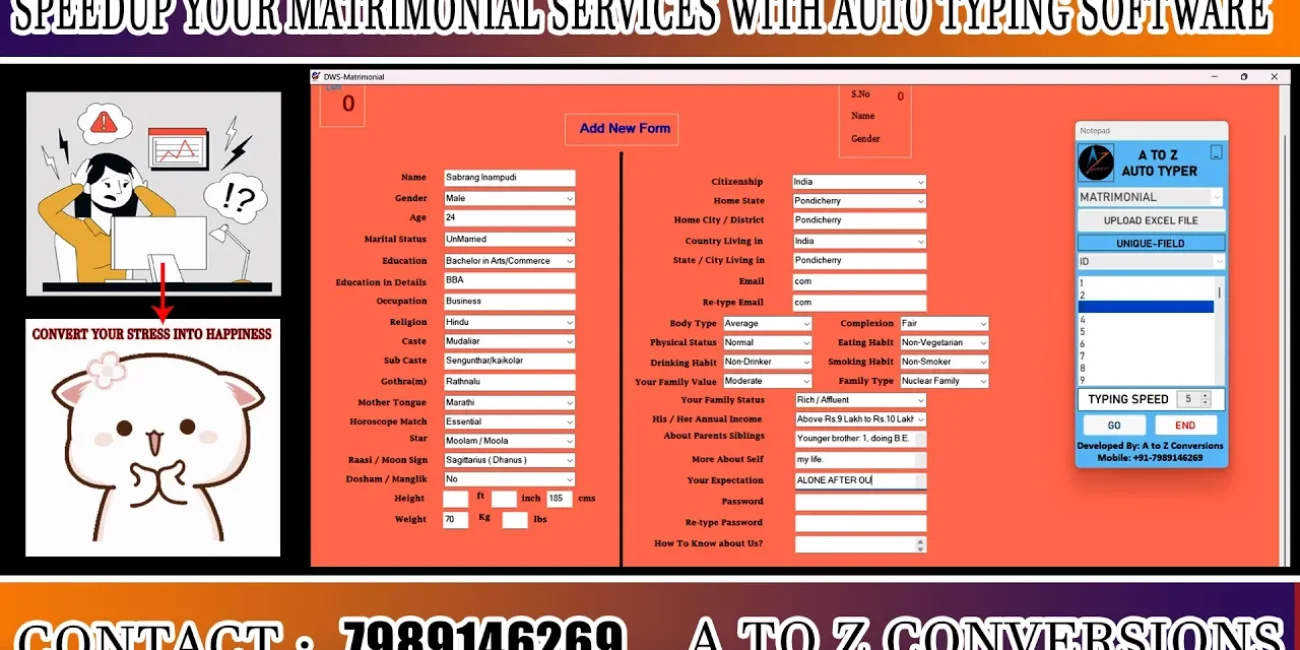
Open the Matrimonial data entry form in the software.
Click "Begin" to start typing; keep the cursor on the Name field and
when the form fills automatically, click "Save" to store the data.